
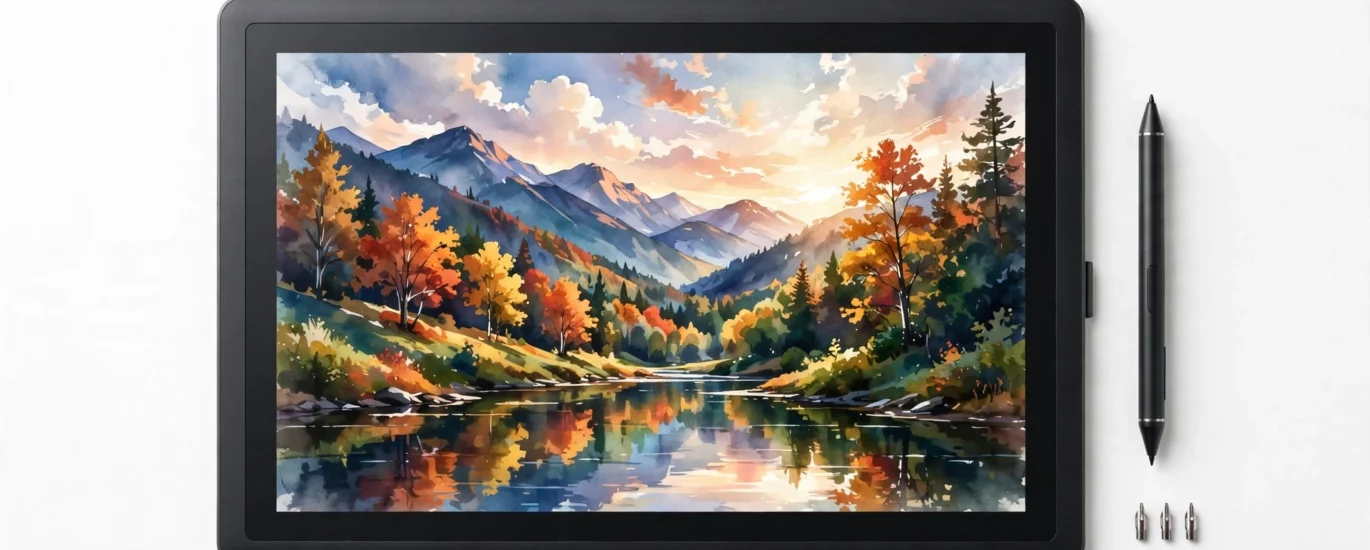
Wacom MovinkPad Pro 14 Review — A Full Drawing Studio That Needs No Computer
Most pen displays are just screens — plug them into a computer or they do nothing. The MovinkPad Pro 14 is different: a 14-inch 3K OLED drawing tablet with Android 15 built in, a Snapdragon 8s Gen 3 chip, and Wacom's Pro Pen 3 in the box. Pick it up, open an app, and draw. Here's who this premium standalone tablet is actually for — and who should skip it.

14-inch size. An 11-inch variant is also listed at $499.95. 100+ bought in the past month at the time of writing.
01 — Design & Portability: A Studio You Can Carry
The whole point of the MovinkPad Pro 14 is in its name: moving. Instead of a pen display chained to a desk and a desktop PC, Wacom built a thin, lightweight all-in-one frame that houses the screen, the computer, and the pen in a single portable package. Unplug nothing, pack nothing extra — the studio is the tablet.
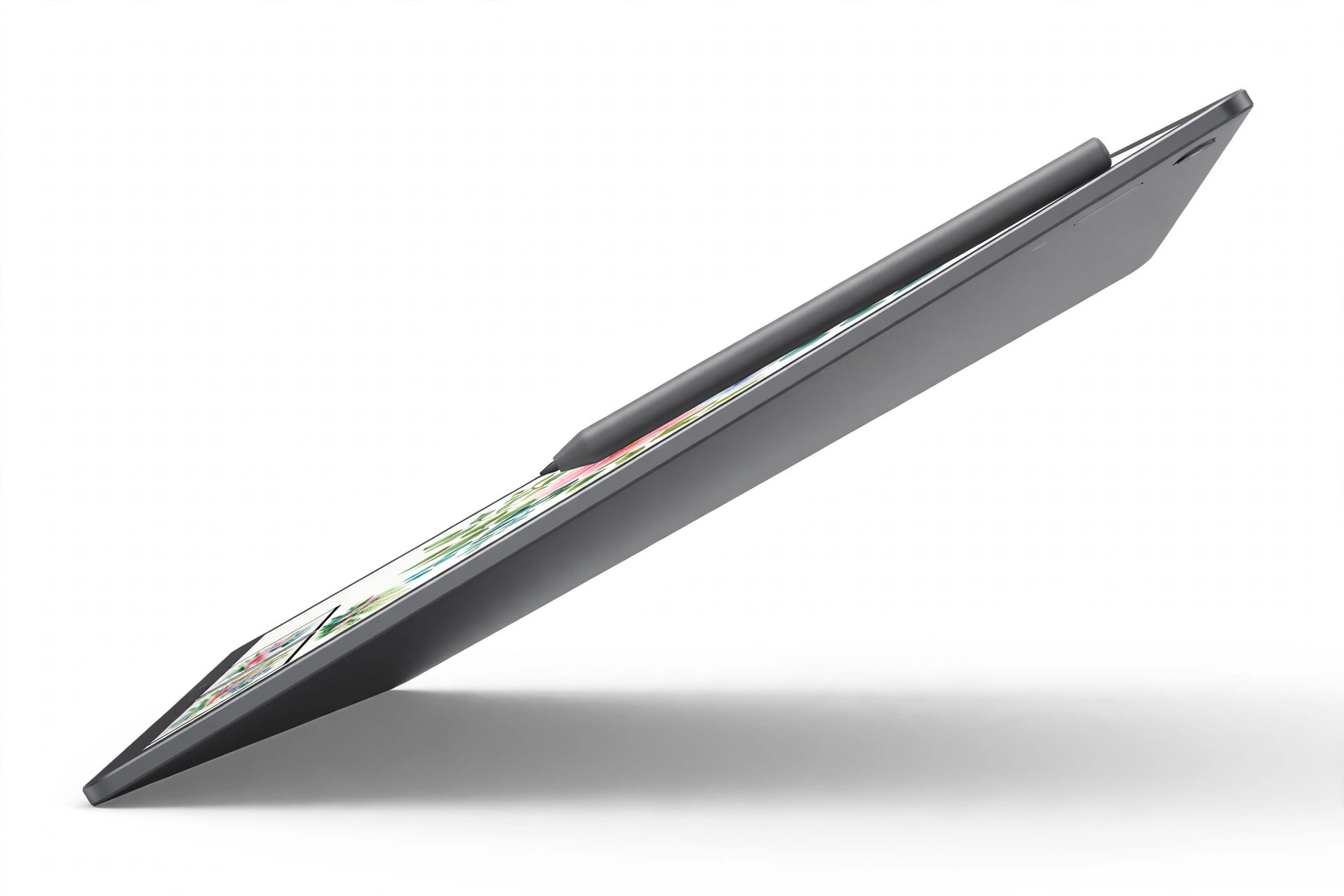
That portability changes how the device gets used. A traditional pen display lives where the computer lives. A standalone tablet like this can move to the couch, the studio desk, a client's office, or a coffee shop — anywhere inspiration or a deadline shows up. For artists who sketch on location, annotate on the go, or simply hate being tethered to one desk, that freedom is the product.
02 — The 14-Inch 3K OLED Display
The screen is where a drawing tablet earns its keep, and on paper this one is stacked. It's a 14-inch OLED panel at 3K resolution (2880 × 1800) — sharp enough that individual pixels disappear at normal drawing distance, with the true blacks OLED is known for. Wacom lists 100% sRGB and 100% DCI-P3 color gamut coverage, which matters if your work moves between screen, print prep, and video.
Two surface choices matter just as much as the panel itself:
- Anti-glare matte finish — the listing highlights a matte, anti-glare screen, so overhead lights and windows shouldn't turn your canvas into a mirror.
- Premium Texture etched glass — Wacom says the etched-glass surface delivers a pen-on-paper feel and minimizes parallax, so the line appears where the pen tip actually is, not offset beneath thick glass.
A quick honesty note: gamut figures and surface claims above are the manufacturer's listing claims. They're the right specs to compare when you're shopping, but treat them as Wacom's stated numbers rather than independent lab measurements.
03 — Pro Pen 3: The Pen Is the Point

Wacom's reputation was built on pens, and the MovinkPad Pro 14 ships with a slim version of the Pro Pen 3 designed specifically for this tablet. The headline number is 8,192 levels of pressure sensitivity — press lightly for a whisper-thin sketch line, lean in for a heavy stroke, with thousands of gradations between.
- Never needs charging — the pen is battery-free, so there's no "pen died mid-commission" moment and nothing to plug in before a session.
- Spare nibs ride along — replacement nibs are stored in the pen's back end, so a worn nib is a ten-second swap, not an online order.
- Paper-like pairing — the pen is tuned for the etched-glass surface, which is what produces that slight, satisfying drag instead of skating on slick glass.
For illustrators coming from cheaper styluses, the battery-free design is quietly the best feature here: the pen is always ready, always the same weight, and never one more device to charge.
04 — Standalone Android Power: No Computer, No Problem
Under the hood, the MovinkPad Pro 14 runs Android 15 on a Snapdragon 8s Gen 3 processor with 12GB of RAM — a spec sheet aimed squarely at memory-intensive creative work like large canvases and layer-heavy files. Storage is 256GB built in, expandable via microSD, so a growing portfolio doesn't have to live in the cloud.
Because it's a full Android device, you get included creative apps plus access to the Google Play Store — your drawing app of choice, reference tools, cloud drives, and email all live on the same device you draw on. No computer is required at any point: not to set it up, not to draw, not to share the finished piece.
05 — Who the MovinkPad Pro 14 Is For
- Professional illustrators and concept artists who want a real pen, a color-rich OLED canvas, and the freedom to work away from a desk.
- Comics, storyboard, and character artists whose workflow lives in Android drawing apps and who value the paper-feel surface.
- Students and traveling creatives who can't (or don't want to) carry a laptop plus a pen display everywhere.
- Designers adding a mobile sketch station alongside an existing desktop setup — with the compatibility caveat above in mind.
Who should skip it: anyone whose workflow depends on desktop-only software as their primary tool, anyone on an Intel Mac or ARM Windows machine expecting tethered use, and casual hobbyists — the $1,099.95 price only makes sense if drawing is your work or your serious passion. The 11-inch variant at $499.95 is the gentler entry point.
06 — Pros & Cons

👍 What we like
- Fully standalone — no computer needed, Android 15 built in
- 14-inch 3K OLED with listed 100% sRGB & DCI-P3 coverage
- Matte anti-glare, etched-glass surface for a pen-on-paper feel
- Pro Pen 3: 8,192 pressure levels, never needs charging
- Spare nibs stored inside the pen's back end
- Snapdragon 8s Gen 3 + 12GB RAM for layer-heavy work
- 256GB storage, expandable with microSD
- Solid early reception: 4.5/5 stars and 100+ bought in the past month
👎 What to know
- Premium price: $1,099.95 puts it in pro territory
- Rating rests on 275 ratings so far — a modest sample
- Windows ARM systems and Intel Macs are NOT supported for connected use
- Android app ecosystem — check your must-have apps exist on Android before switching from a desktop workflow
- Color-gamut and surface claims are manufacturer-listed, not independently verified here
07 — Frequently Asked Questions
Does the Wacom MovinkPad Pro 14 need a computer?
No. It's an all-in-one Android tablet — the computer is built in. It runs Android 15 with included creative apps and Google Play Store access, so you can draw, save, and share without any PC or Mac.
Does the Pro Pen 3 need charging?
No. The Pro Pen 3 is battery-free and never needs charging. It offers 8,192 pressure levels, and spare replacement nibs are stored in the back end of the pen.
How much storage does it have — and can I expand it?
It comes with 256GB of internal storage, and the listing includes an expandable microSD slot for more room.
What are the display specs?
A 14-inch OLED screen at 3K resolution (2880 × 1800), with listed 100% sRGB and 100% DCI-P3 color gamut coverage, an anti-glare matte finish, and Premium Texture etched glass designed for a pen-on-paper feel with minimal parallax.
Can I connect it to my computer instead?
The listing states compatibility with Windows 11 and macOS 14 (Sonoma), 15 (Sequoia) & 26 (Tahoe). Important: Windows ARM-based systems and Intel Macs are not supported.
Is there a smaller, cheaper version?
Yes — an 11-inch variant is listed at $499.95, compared with $1,099.95 for this 14-inch model.
How well is it rated?
It holds 4.5 out of 5 stars from 275 ratings, with 100+ bought in the past month at the time of writing — a positive early reception, though still a relatively small ratings sample.
Final Verdict
The Wacom MovinkPad Pro 14 makes one big promise — a professional drawing studio with no computer attached — and backs it with the right hardware: a 14-inch 3K OLED with a paper-feel matte surface, the battery-free Pro Pen 3 with 8,192 pressure levels, and Snapdragon 8s Gen 3 power with 12GB of RAM. At $1,099.95 it's a serious investment, and the Windows ARM / Intel Mac caveat deserves a careful read. But if you're a working artist who wants Wacom pen quality anywhere, this is one of the most complete standalone drawing tablets you can buy in 2026.
$1,099.95Prices, ratings, and availability shown were taken from the product listing at the time of writing and can change — check the Amazon link for the current price. As an Amazon Associate, techzfy earns from qualifying purchases.
